Thousands of bills are introduced in each jurisdiction throughout each legislative session. Finding the exact bills that matter to you can feel like searching for a needle in a haystack. The ability to quickly and efficiently find the bills that matter is the key to success in public policy work. Plural’s Global Bill Search feature offers a sophisticated search engine designed to streamline the discovery process and bring relevant legislation to the forefront.
The Challenge of Finding the Right Bills in Legislative Research
The task of pinpointing bills that align with your interests or impact your work is daunting. Traditional search methods are a hit or miss, often consuming hours with minimal reward. Plural is here to help.
Global Bill Search: Your Legislative GPS
Plural’s AI-powered Global Bill Search tool transforms the way policy professionals explore legislative data. Global Bill Search incorporates advanced search algorithms and filters to offer a targeted approach to legislative research.
Within the “Related Bills” tab on a bill detail page, you will find the “Global Bill Search” option. Click on the “Begin Search” button to select the legislatures in which you would like to search. Global Bill Search scours other jurisdictions for bills similar to the one you are viewing.
Benefits Unpacked
Time-Saving
Minimize the hours spent sifting through irrelevant bills by using targeted search criteria.
Comprehensive Results
Access a broad array of bills from various jurisdictions. Global Bill Search ensures that no stone is left unturned in your research.
Informed Decision-Making
Quickly find and analyze relevant legislation in order to make more informed decisions and strategies.
Get Started With Plural for Legislative Research
Elevate your legislative research with Plural’s Global Bill Search. Sign up for a demo today and discover how to enhance your efficiency and effectiveness.
Has Global Bill Search changed the way you approach legislative research? We’d love to hear about your experiences and how this tool has streamlined your workflow. Your insights could inspire others to embrace this transformative search solution.
When it comes to public policy work, finding the exact bills that matter to you is like searching for a needle in a haystack. Across jurisdictions, thousands of bills are each legislative session. The challenge? Pinpointing the ones that impact your work, without wasting hours on traditional search methods.
Plural’s Global Bill Search tool is your legislative GPS. Global Bill Search is designed to transform the way policy professionals navigate legislative data. With advanced search algorithms and filters, Global Bill Search offers a targeted approach to legislative research.
Legislative proceedings are complex and often difficult to comprehend. However, the challenge doesn’t stop at policy analysis and identifying key legislation. It extends to uncovering the network of related bills, which may impact or influence your primary areas of interest. Understanding not just individual bills, but also their connections, is vital for policy pros. Plural’s “Related Bills” feature is an indispensable tool for successful policy professionals.
The Complexity of Legislative Analysis
Imagine a puzzle where each piece is a bill. Focusing on a single piece, or a single bill, can provide helpful insights. However, understanding how it connects to others builds a more comprehensive picture. This holistic view of policymaking is crucial. Yet, manually mapping these connections is a daunting, time-consuming task.
Related Bills: Your Legislative Compass for Policy Analysis
Plural’s Related Bills feature is designed to simplify this process. Plural automatically identifies and linking related legislation using AI. Related bills go beyond illuminating the legislative landscape. They also reveal strategic insights that could otherwise be missed.
How It Works
Calculating Text Similarity
Related Bill recommendations are based on the degree of text similarity between bills. Plural calculates text similarity at a sentence level.First, it removes from its analysis any “boilerplate” language that is used in most bills. It then breaks down each version of a bill into its component sentences, comparing them to versions of other bills. When two bills share at least 65% of the same substantive sentences, Plural identifies them as related.
Labeling Relationships
Once Plural finds bills that are related, it labels the relationship. Currently, Plural is labeling the following kinds of relationships:
Companion Bills. Similar or identical legislation that are introduced in the upper and lower chambers of a legislature during the same session.
Re-Introduced Bills. Bills that do not make it through the legislative process by the end of a session are often re-introduced in a later session.
Omnibus Bills. Omnibus bills consolidate various other bills — that often span a number of issues — into a single package. Plural identifies when a smaller bill has been pulled into a larger omnibus bill, and vice versa.
Where to Find It
Find related bills in the “Related Bills” tab of a Bill Detail page. If Plural has identified one or more related bills, you will also see an alert icon displayed to the right of the tab.
Benefits Unpacked
Strategic Advantage
Discover potential allies or oppositions through related bills, enabling more informed strategy development.
Efficiency in Research
Save hours by instantly accessing a curated list of related legislation, rather than manually compiling connections.
Depth of Understanding
Gain deeper insights into the legislative ecosystem. This includes how various bills interlink and affect each other.
Get Started With Plural
Don’t let vital connections slip through the cracks in your policy analysis. Sign up for a demo of Plural today, and unlock the full potential of the Related Bills feature. Empower your legislative strategy with comprehensive insights and a more profound understanding of bill relationships.
Have you leveraged Related Bills to achieve legislative success? We’re eager to hear how this tool has transformed your approach to policy work. Share your experiences and help inspire others to navigate the legislative web more effectively. Reach out to support@pluralpolicy.com to share your experience.
In the ever-evolving landscape of public policy, quickly identifying impactful bills and developing policy intelligence is key. With thousands of bills introduced each session, policy pros are familiar with this time-consuming task. Identifying legislation that directly impacts your interests is not just critical—it’s a race against time. Staying organized amidst this legislative avalanche is complex. You need innovative tools to streamline this process.
The Challenge of Keeping Up
Imagine trying to navigate a maze without a map, where each turn introduces hundreds of new paths. For policy pros like yourself, this is a daily reality. Hours are invested in not just finding relevant bills, but also understanding their implications. Plural’s AI-detected bill topics mark a turning point in how policy teams approach this daunting task.
AI-Detected Bill Topics: A Game-Changer for Policy Intelligence
Plural’s suite of AI-powered features are designed to complement the work of policy teams. AI-detected bill topics automatically detect and categorize bills into topics using advanced machine learning algorithms. This feature offers a panoramic view of the legislative landscape. Bill topics enable Plural users to quickly hone in on bills that matter most to their work.
How It Works
Human Insight and AI Modeling
Our Policy and Research team defined a list of common and useful topics and applied them to bills from previous sessions. Our Insights team then trained an AI model on those data to identify the topics of bills in new sessions.
Instant Categorization
Plural gets to work as soon as bills are introduced, classifying the bill based on its title and summary as provided by the original source.
Personalized Alerts
Users can set up alerts for specific topics, ensuring they never miss an important bill. This real-time notification system is pivotal for timely analysis and action.
Where to Find It
Find bill topics in two places in Plural:
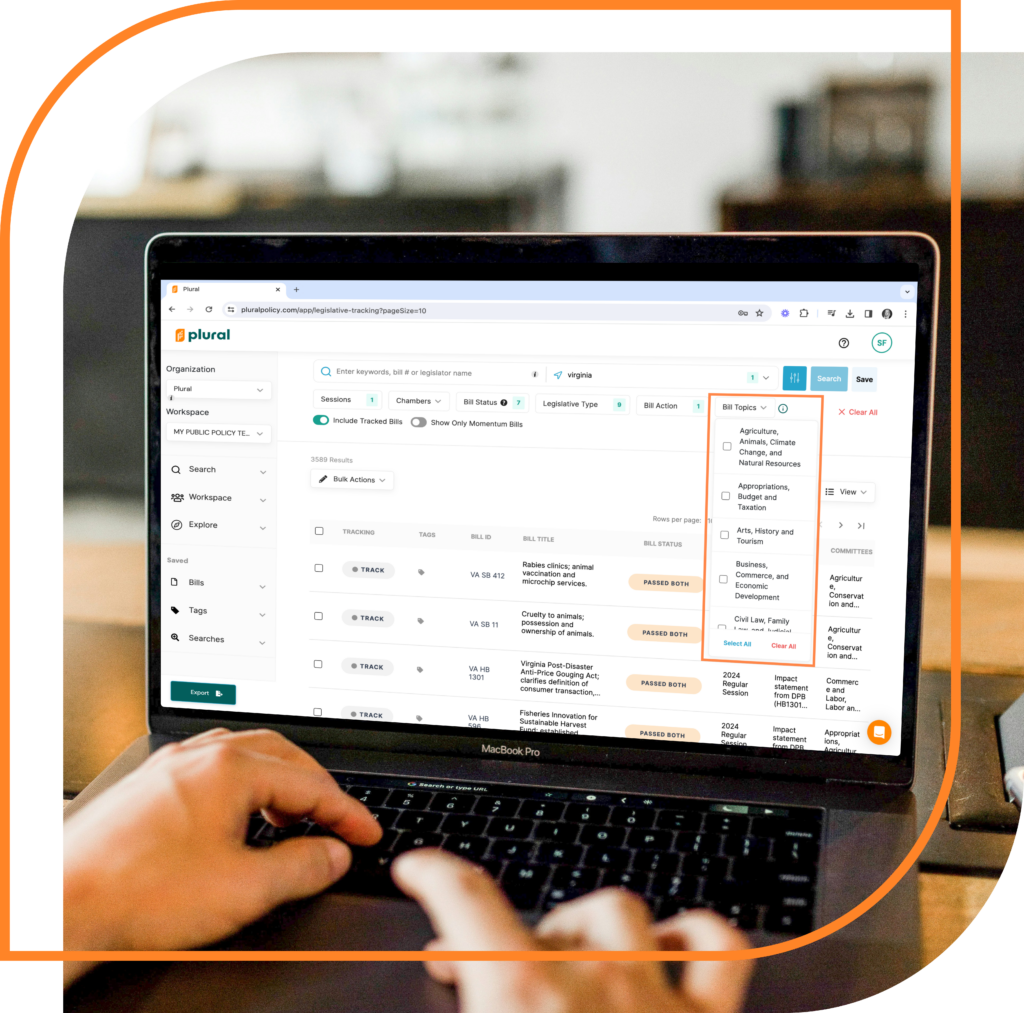
Advanced search. When searching for bills, utilize Plural’s new “Bill Topics” filter to isolate only those bills with specific topic(s) of your choosing.
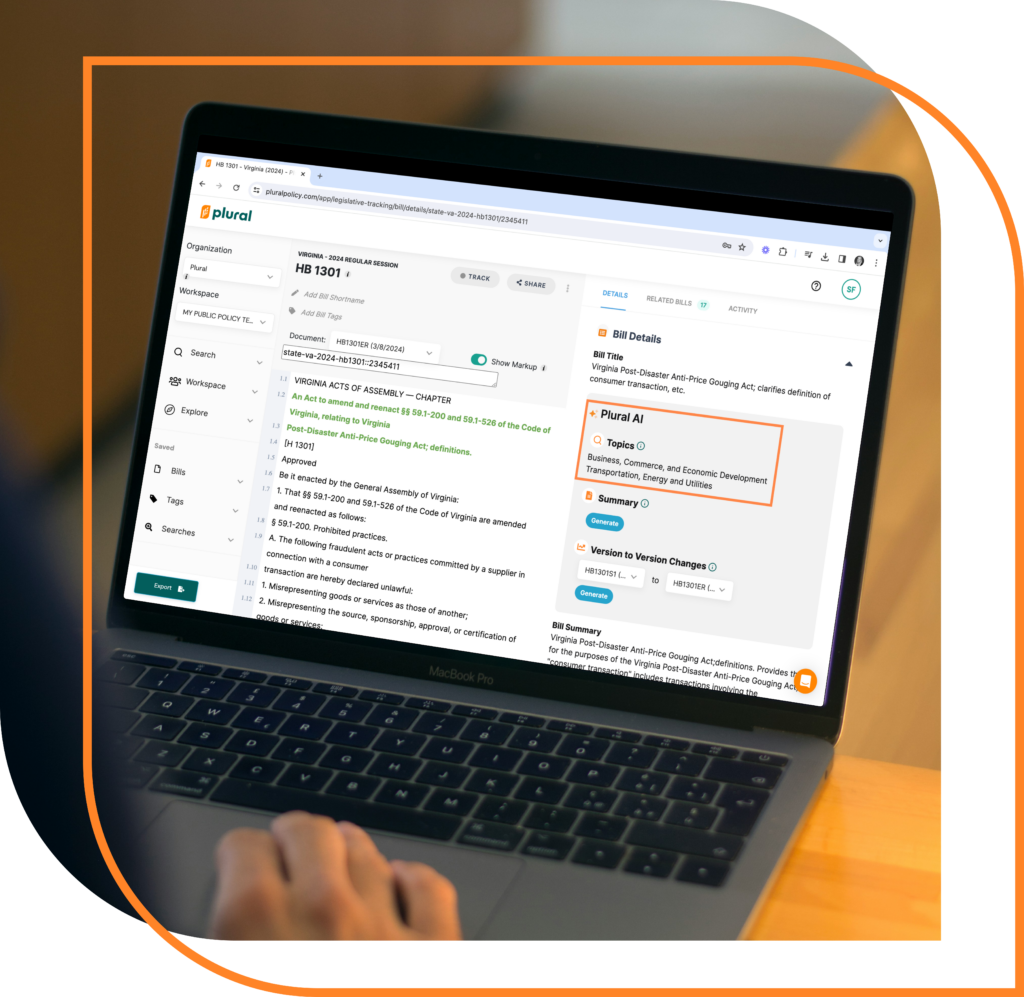
On a Bill Detail page. Quickly identify a list of topic(s) associated with a bill in the “Details” tab of its page.
Where It Works
At this time Plural’s AI-detected bill topics feature is available for the following jurisdictions:
Alabama
Arkansas
Arizona
Colorado
Connecticut
Florida
Georgia
Iowa
Idaho
Kansas
Louisiana
Maine
Minnesota
New Hampshire
New York
Ohio
Rhode Island
Tennessee
Utah
Virginia
Vermont
Wisconsin
West Virginia
Wyoming
Stay tuned as we continue to expand the feature for more jurisdictions!
Benefits Unpacked
Time Efficiency
Reduce the hours spent manually searching for bills by leveraging AI to do the heavy lifting.
Improved Organization
With bills neatly categorized, maintaining an organized workflow becomes more manageable.
Enhanced Focus
Direct your attention to what’s most relevant, allowing for a deeper dive into the specifics of your interest areas.
Get Started With Plural
Ready to revolutionize how you navigate the legislative landscape and develop real-world policy intelligence? Sign up for a demo of Plural today and experience firsthand the transformative power of AI-Detected Bill Topics. Streamline your workflow, stay ahead of the curve, and make more informed decisions with Plural at your side.
Have you experienced success using AI-Detected Bill Topics? We invite you to share your story with us. Your insights could inspire others to harness the power of AI in their public policy work to develop policy intelligence. Reach out to support@pluralpolicy.com to share your experience.
Plural offers legislative bill analysis tools designed to supercharge your legislative intelligence. Learn more about discovering Similar Bills in Plural today!
In the complex world of legislation, discovering connections between bills just got easier, thanks to Plural.
Ever wondered how bills are interconnected? Plural’s intelligence engine reveals the unseen links, identifying bills with shared language and objectives. Plural’s Related Bill recommendations are based on the degree of text similarity between specific versions of different bills. Plural calculates similarity by breaking down sentences and comparing them to versions of other bills. When two bills are found to share at least 65% of the same substantive text, Plural identifies them as related.
Uncovering legislative intelligence doesn’t stop there. Plural goes deeper to label the relationships, using machine learning methods and historical legislative data. You’ll gain a greater sense of the context and history of a given bill by identifying companion bills, re-introduced bills, and omnibus bills.
Get Started With Plural’s Legislative Bill Analysis Tools
Your feedback fuels our innovation. If you have any feedback or questions, please let us know at support@pluralpolicy.com. Interested in getting started with Plural? Explore our pricing plans today.
Welcome to Plural, your go-to platform for legislative tracking and management. Whether you’re a seasoned policy professional or new to the realm of legislative tracking, Plural offers a suite of powerful tools. With Plural, you’ll enhance your workflow and stay informed on the matters crucial to you and your organization. Let’s dive into how you can harness Plural to streamline your policy tracking.
Searching for Bills
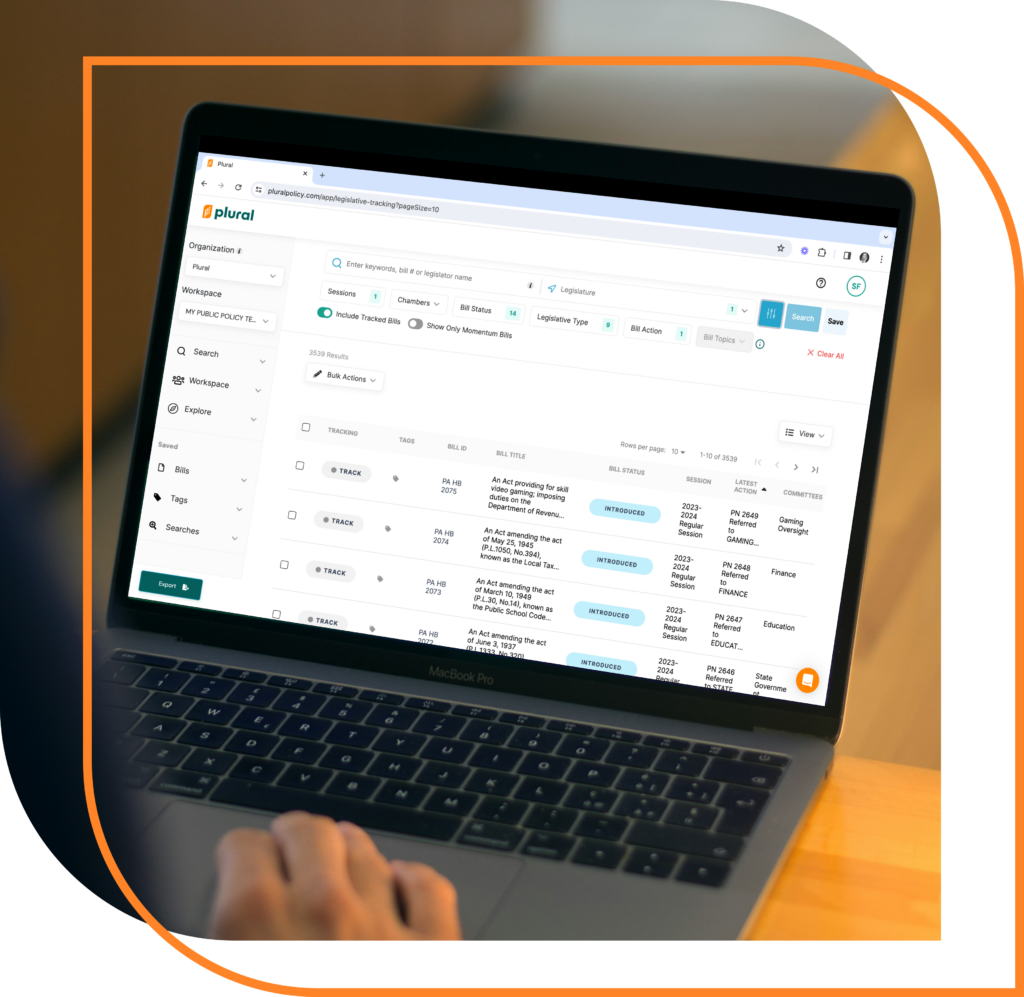
The journey begins on Plural’s homepage. You’ll be greeted with an intuitive bill search feature the moment you log in. Here, you can easily search for bills using keywords, bill numbers, or legislators’ names. With Plural, it’s easy to dig through the thousands of bills introduced each session to quickly find exactly what you’re looking for.
Plural’s smart search functions allow you to refine your search with precision. Use quotation marks and plus signs to sift through the noise and find what you’re looking for. Finally, select the legislatures you’re interested in and hit “Search” to discover relevant legislation.
Note: If you find yourself elsewhere other than the homepage, click on the magnifying glass next to “Search” in the left sidebar, or click on the Plural logo to go back to the search page.
Advanced Search Options
For those seeking more specific results, Plural’s advanced search options are just a click away. Filter by legislative session, chamber, bill status, and more, ensuring you get the most relevant results.
Saving Searches and Managing Notifications
Once you’ve perfected your search criteria, Plural allows you to save it for quick access later. Saved searches not only save time but also enable you to receive email alerts as new updates match your criteria. You can manage these searches and notifications from your workspace, ensuring you’re always in the loop without being overwhelmed by information.
Tracking Bills
Identifying bills of interest is just the beginning. Plural makes policy tracking with a simple click on the “TRACK” button. Find the “TRACK” button either in the search results or on a Bill Detail page. This feature allows you to add bills to your workspace, enabling your team to monitor progress together. You’ll also receive notifications on the bills you’re tracking as they move through the legislative process. Within your workspace, you’ll also find options to:
View and manage your tracked bills
Modify notification settings
Un-track bills directly from your workspace
Organizing Bills With Tags
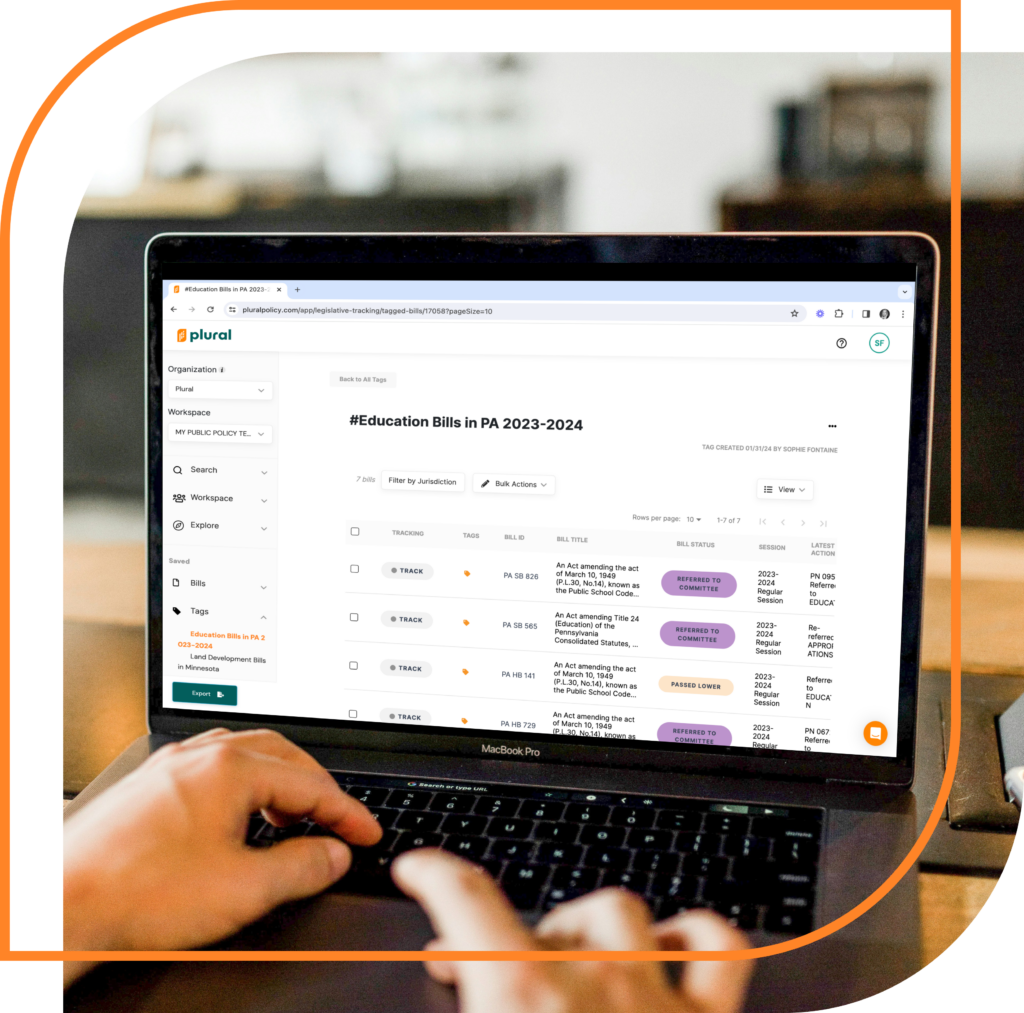
Plural’s tagging system offers an organized way to categorize the bills you’re tracking. Tags streamline help your workflow and make it easier to access relevant legislation. Create tags and organize bills in any method you like — tags are 100% customizable. Many Plural users choose to organize bills by priority, policy stance, or any other criteria. Creating and applying tags is straightforward, whether from the homepage or within a bill detail page.
Modifying Notification Settings
In the world of public policy, success is all about cutting through the noise to find exactly what you need. Plural ensures you’re alerted about important changes without being overwhelmed. Stay informed without the clutter by customizing your notification settings. Choose how often you receive updates by modifying your notification settings under the account drop down.
Get Started With Plural
Getting started with Plural is the first step towards transforming how you track and manage legislation. Utilize search, save, track, and organize features to tailor the platform to meet your needs. Plural’s intuitive design and comprehensive tools empower you to stay ahead in the fast-paced world of legislative tracking. Welcome to the future of legislative management with Plural.
Plural is your one-stop tool to organize your public policy work and collaborate effectively with your team. In this video, we explore how to share notes and files on a Bill Detail page, Legislator profile page, and Workspace details page. Watch now!
A few other factors provide reason to believe that legalized sports betting could be passed in Minnesota this session:
While both iterations of the Minnesota Sports Betting Act were led by Republican sponsors, members of the DFL also sponsored legislation (SF 1949) last year that could be introduced again.
Governor Tim Walz indicated this week that he would sign sports wagering legislation if it made it to his desk.
Using Plural’s AI-Powered Tools to Better Understand Minnesota SF 3803
When used in the context of public policy and legislation, artificial intelligence (AI) is a helpful tool in analyzing bill text. AI-powered tools can help policy teams save time and quickly understand the key aspects of a bill.
AI-Powered Bill Summarizer
So what does this bill propose to do? Plural’s AI-powered bill summarizer distills the 49 pages of legislative text into a helpful summary:
“The bill proposes to legalize and regulate sports betting in Minnesota. It establishes licenses for sports betting operators, platform providers, and suppliers. It allows for mobile sports betting and retail sports betting at racetracks and sports facilities. It imposes a tax on sports betting revenue and distributes the funds to various purposes. It makes conforming changes to other gambling-related statutes. And it appropriates funds to various state agencies to implement and regulate sports betting.”
Version-to-Version Summaries
It’s easy to see how vital the bill summarizer is to quickly assessing the legislation that has been introduced this week. Public policy moves fast, and being able to act quickly and understand bills within a matter of seconds and minutes, rather than hours and days, is the key to success.
As the session moves along, our AI-powered version-to-version change summarizer will also allow you to quickly track the changes that are made to any bill throughout the session. Plural’s version-to-version bill summarizer combs pages of bill text to discern the differences between different bill versions, whether big or small.
An example can be seen comparing the introduced version of SF 1949 from last year and the final version, which did not end up passing last year. Plural provided the following summary:
“The differences between the proposed changes of both versions are not specified in the provided text, as it only contains the new version of the bill. A comparison with the actual previous version of the bill would be required to identify specific differences.”
Get Started With Plural
Plural is the AI-powered policy intelligence tool of choice for teams looking to save time, collaborate effectively, and amplify their impact. Looking to get started? Create a free account or book a demo today!
Welcome to Plural, where navigating legislation information is simpler, faster, and more efficient. Today, we’re taking a closer look at the Bill Detail Page, your gateway to comprehensive legislative intelligence.
Plural’s Bill Detail Pages
Within a bill detail page, you can:
Read bill text
Track the bill
Share the bill
Print or download the bill
Highlight bill text
Leave notes on the bill
Tag the bill
View the bill’s summary
View the bill’s sponsors/authors
View a timeline of the bill’s actions
Discover highly similar and related bills
Unlock legislative intelligence
Bill detail pages are your one stop shop for discovering key legislation information and all there is to know about a bill. Let’s dive in!
Get Started With Plural’s Legislation Information
Please note that some details discussed are only available to users of one of Plural’s paid plans. Book a demo or create a free account today to learn more!
In the intricate world of public policy, information is power. The ability for your clients, members and other stakeholders to stay informed and engaged with legislative processes is crucial. Plural’s public tags are a helpful policy communication tool for policy professionals, advocacy groups, and lobbyists alike. Public tags make it easier than ever to inform stakeholders with the most up-to-date information on the bills they need to know about.
The Role of Plural’s Public Tags in Policy Management
Public tags redefine how policy teams communicate legislative information. Tags offer a clear, customizable system to organize and share legislative bills with anyone outside of Plural. As such, tags enhance both internal workflow and external communication.
How to Use Public Tags in Plural
Plural’s tagging system is designed for flexibility and ease of use. Tags are fully customizable. Many Plural users use tags to organize bills as “support/oppose” or “high priority/low priority” Tags can also be used to categorize bills by specific topics, like “environment” and “education.”
Creating tags in Plural is a straightforward process. Once you’ve identified your categories, assigning tags to bills is just a few clicks away. Tags are like a living folder — they’re constantly updated with new information, ensuring your team and partners are always in the loop. Share the link to your public tag with external stakeholders just once, and they can keep coming back to the tag as needed to view the most updated information. Public tags save you time, allowing you to avoid manually compiling and sending a list of bills each time there’s new information.
Creating tags in Plural is a straightforward process. Tags are fully customizable — many Plural users use tags to organize bills by specific topics. Once you’ve identified your categories, assigning tags to bills is just a few clicks away.
Public tags can be shared with anyone. They’re like a living folder — constantly updated with new information, ensuring your team and partners are always in the loop.
Publishing and sharing tags allows you to effortlessly distribute a curated collection of bills. Public tags can be shared with anyone, regardless of their affiliation with your organization. In addition to viewing the list of all bills that have been tagged with your public tag, viewers can click into any bills on the list to access detailed bill information without needing a Plural account.
Public Tag Use Cases: Advocacy Groups and Lobbyists
Public tags’ versatility is particularly beneficial in the diverse world of issue advocacy. Advocacy groups, driven by specific missions and goals, use tags to focus their efforts on pertinent legislative areas. This might include environmental policies or healthcare reform. For lobbyists, public tags provide a structured approach to monitor and influence legislation across various sectors. Public tags help lobbyists ensure their clients’ interests are represented effectively.
Plural’s public tags are more than organizational tools; they are instruments of influence. For advocacy groups, they provide a means to rally support around causes. Plural’s tags enhance advocates’ ability to encourage public engagement and participation. Lobbyists find in these tags a way to keep clients informed and involved. Tags reinforce lobbyists’ advisory role and strategic planning.
Case Studies: Utilizing Public Tags
To emphasize the value of public tags for policy teams, let’s consider two case studies. An environmental advocacy group uses Plural to streamline and supercharge their policy work. The advocacy group utilizes tags to track and share developments in environmental legislation. With public tags, they’re better able to engage their community and mobilize action.
A lobbying firm specializing in healthcare uses Plural to stay up-to-date and informed. The firm uses public tags to keep a pulse on healthcare bills across the country. Public tags enable them to more effectively keep their clients informed on the most recent bills that have been introduced and the latest progress on existing bills.
Benefits of Plural’s Public Tags as a Policy Communication Tool
Expanding Legislative Engagement
The significance of public tags extends beyond mere organization and tracking. It enables policy teams to engage in proactive legislative forecasting in a broader and more collaborative way. By analyzing trends and patterns in tagged legislation, teams in collaboration with external stakeholders can:
Anticipate shifts in the policy landscape
Prepare for upcoming legislative battles
Strategize more effectively
This foresight is invaluable for organizations aiming to stay ahead in a rapidly changing political environment.
Tailoring Communication for Maximum Impact
Public tags also allow for tailored communication strategies. With public tags, policy teams can segment legislative information based on audience interest. This allows teams to create more personalized and impactful messaging, enhancing customer engagement. Public tags help ensure that information shared resonates with your intended audience, whether grassroots supporters, corporate clients, or policymakers.
Empowering Accessibility and Education
Plural’s public tags play a key role in democratizing access to legislative information. Tags demystify complex legislative processes, making them more transparent and accessible. As such, they empower individuals and organizations with the knowledge needed to participate in policy. This educational aspect is particularly crucial for advocacy organizations. Often, advocacy groups aim to educate and engage the public on the nuances of policy and advocacy.
Get Started With Plural’s Public Tags
Plural’s public tags empower teams to stay organized, communicate effectively, and influence policy. Regardless of the size or focus of your organization, Plural has a solution to help you streamline and supercharge your policy work.
To learn more about how Plural can revolutionize your policy efforts, create a free account or book a demo today!
With Plural, vote data is easier than ever to uncover. How can Plural help you save time and supercharge your lobbying or advocacy strategy?
For lobbyists and advocates, understanding vote data is key to navigating the political landscape. It’s not just about numbers; it’s about insight into power dynamics and strategy. Vote data reveals legislators’ positions and priorities, offering a glimpse into their political journey and anticipated future decisions. It’s essential for understanding the partisan landscape of issues and refining stakeholder engagement strategies.
Plural helps you easily uncover vote data and understand its implications. Learn more about vote data in the video below.
Get Started With Plural
Plural empowers your advocacy and lobbying strategy with premium data, tools to get organized and collaborate, and revolutionary AI-powered insights. Interested in getting started? Create a free account or book a demo today!
In the world of policy tracking, being able to export your data is crucial. It allows you to present your findings in a clear, concise manner, making it easier to inform decision-makers and engage with your audience.
With Plural, it’s easier than ever to export data from your public policy work. This powerful feature can help you communicate your value and share your work effectively with stakeholders. Learn more from Philip, our Product Manager:
Get Started With Plural
Exporting data is available only to users of our Plural Premium plan.